Works where Gmail work happens
The Chrome extension is built for the open Gmail thread, so you do not need to copy a dictated note into a separate writing tool.
Use Vida in Chrome to speak a Gmail reply, turn the open thread into context, and review the draft before anything goes into your compose box.
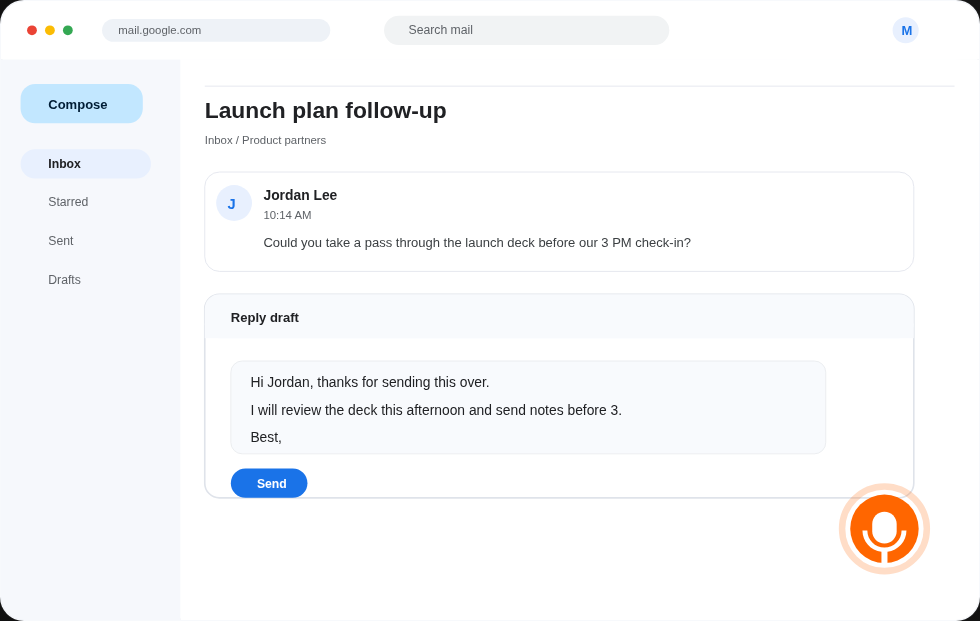
Most dictation tools give you raw text. Vida is focused on the Gmail reply moment: capture what you want to say, use the current thread for context, and keep final control inside Gmail.
The Chrome extension is built for the open Gmail thread, so you do not need to copy a dictated note into a separate writing tool.
Say the point, tone, and detail you want in the reply while the message is still in front of you.
Vida drafts for review. Gmail sends only when you choose, so the extension never skips your judgment.
The workflow is narrow by design. It keeps the speed of dictation and the context of the email thread in the same browser tab.
Start from the email you need to answer. Vida is built around the reply you are already looking at.
Dictate the reply in plain language. You can speak naturally instead of turning every thought into polished sentences yourself.
Vida drafts from the open Gmail conversation. You can edit, insert, and send manually from Gmail when the message is ready.
Vida is for consultants, founders, sales teams, recruiters, and operators who answer Gmail all day and need faster personal replies without handing over send control.
The Chrome extension is intentionally narrow, so it can help with the actual reply instead of becoming another writing surface.
Need the broader workflow first? The main dictation for Gmail extension page explains how Vida turns spoken replies into reviewable Gmail drafts.
Start with one Gmail account, dictate a reply from the open thread, and review the draft before sending it yourself.
Install for Gmail